Stock keywords built for the agency you sell on. In seconds, not nights.
Getty and Adobe want different keywords. Pick where the batch is going, and PixTagger builds every list to that agency's own rules — then more than 90 checks remove anything the picture doesn't show.
- Getty Images
- iStock
- Adobe Stock
- Shutterstock
- Pond5
- Dreamstime
- Alamy
- Depositphotos
- 123RF
No credit card required — start with 15 free credits.
Built by NoSystem Images, an exclusive Getty Images & iStock contributor since 2007 · 57,000+ photos · 9,700+ videos

EW8A5616.jpg · one photo, two agencies
Tagging for
Getty: only terms from Getty's official controlled vocabulary · up to 50 keywords
+ 22 more · every term passes Getty's vocabulary check
See it work
One file in. Upload-ready metadata out.
A real example of what comes back for a single photo — title, two-sentence description, and an ordered keyword list mapped to Getty's controlled vocabulary — ready to export to every agency below.

Ai21-5.jpg
Lifestyle photo · woman studying at home
Title: — none —
Keywords: — none —
Before · not upload-ready
…and this is the screen it lands in.
Nothing is a black box. You set the batch up on the left — what kind of files these are, whether they're one set, whether there are people in them, and which ethnicities you can actually confirm. Every result comes back on the right, fully editable, with the marketplace limit tracked live.
Media type
Tagging for
Getty & iStock get controlled-vocabulary keywords; Adobe & other agencies get free-text, relevance-ordered — the whole pipeline branches on this choice.
In Videos mode you also get Detect camera movement and “Complex action — 5 frames per clip”.
Shoot notes
Home office, natural window light, one model — student working at her desk in the afternoon.
Any language works — Serbian, Spanish, Chinese, 40+ more.
Ethnicity in this shoot (optional)
Select only what you can confirm from your models — we never guess ethnicity from a face.
Search ethnicities (e.g. Japanese, Caucasian)…

Title
Focused young student taking notes while working on laptop indoors
Description
A beautiful young woman sits at a desk, writing notes while looking at the camera, with a laptop and warm ambient lighting in the background.
Keywords
Add a keyword…
Getty vocabulary · 47/501 outside Getty vocabulary
Drag to reorder · click × to remove · type to add your own
Done reviewing? Download your export:
Exports match your tagging target — a Getty batch offers the Getty formats above. Tag for Adobe instead and you get Adobe, Shutterstock, Pond5 and Dreamstime here. Each is written to that marketplace's own columns and trimmed to its own limit.
Pick the marketplace and batch settings — before you drop
Choose Getty & iStock (controlled vocabulary) or Adobe & other agencies (free-text, relevance-ordered) up front — the whole pipeline branches on it. Then tick what this batch is: illustrations get concept keywords, "Vary tags for similar shots" gives each frame its own emphasis so they stop competing, and GPS reads the location your camera saved. In Videos mode you also get camera-movement detection and a 5-frames-per-clip option for complex action.
Shoot notes — write them in any language
Type the context in whatever language you think in: Serbian, Spanish, Russian, Chinese, German, 40+ more. You still get clean English titles, descriptions and keywords for every marketplace. Notes are treated as ground truth — the guards trust what you declare over what the AI guesses.
You declare identity — we never guess it
PixTagger will not infer ethnicity from a face. Name only what your models actually confirmed and those terms are applied to the people visible in each frame; every other identity term the AI produces is stripped by the identity guard. Shooting objects or empty scenes? Tick "No people" and every stray person keyword goes too.
Everything here is yours to change
Rewrite the title, adjust the description, drag keywords into the order you want, delete any of them, or type your own. Adobe weights the first 10 keywords most heavily, so the editor draws that line for you. Anything outside Getty's vocabulary is flagged in amber, and the counter tracks the limit live.
Or watch the full workflow
Or watch by feature
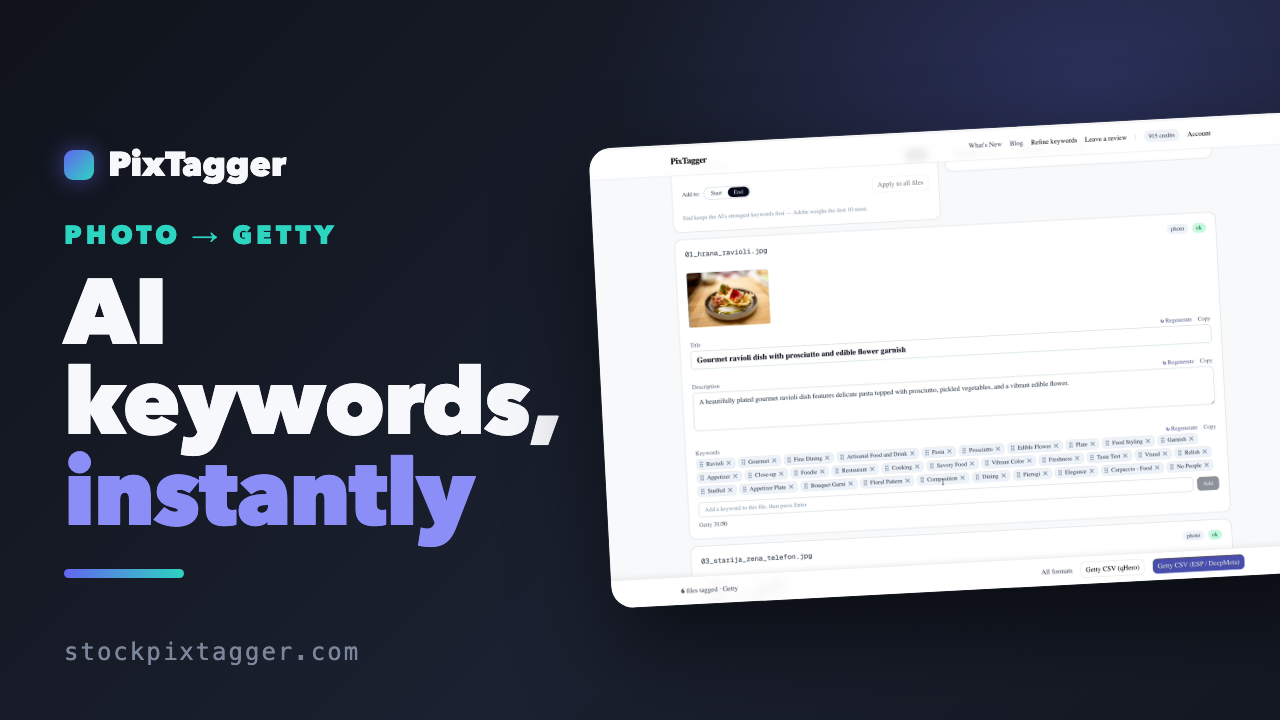


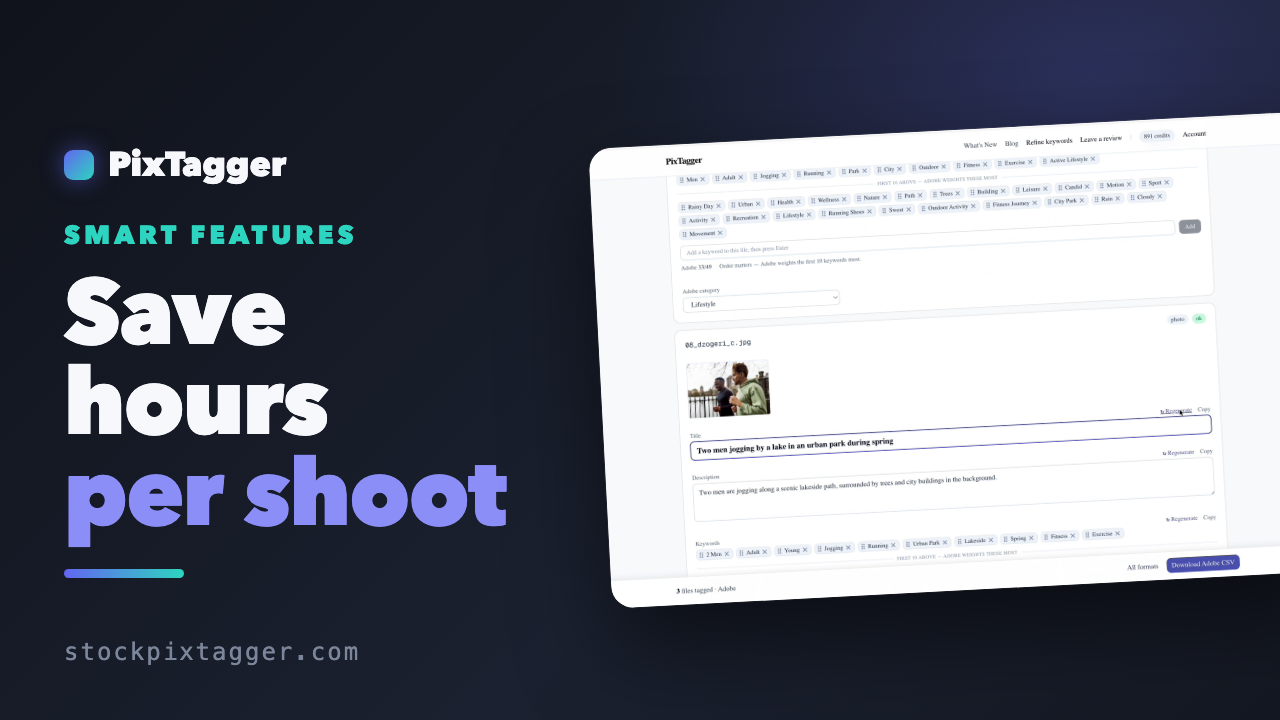
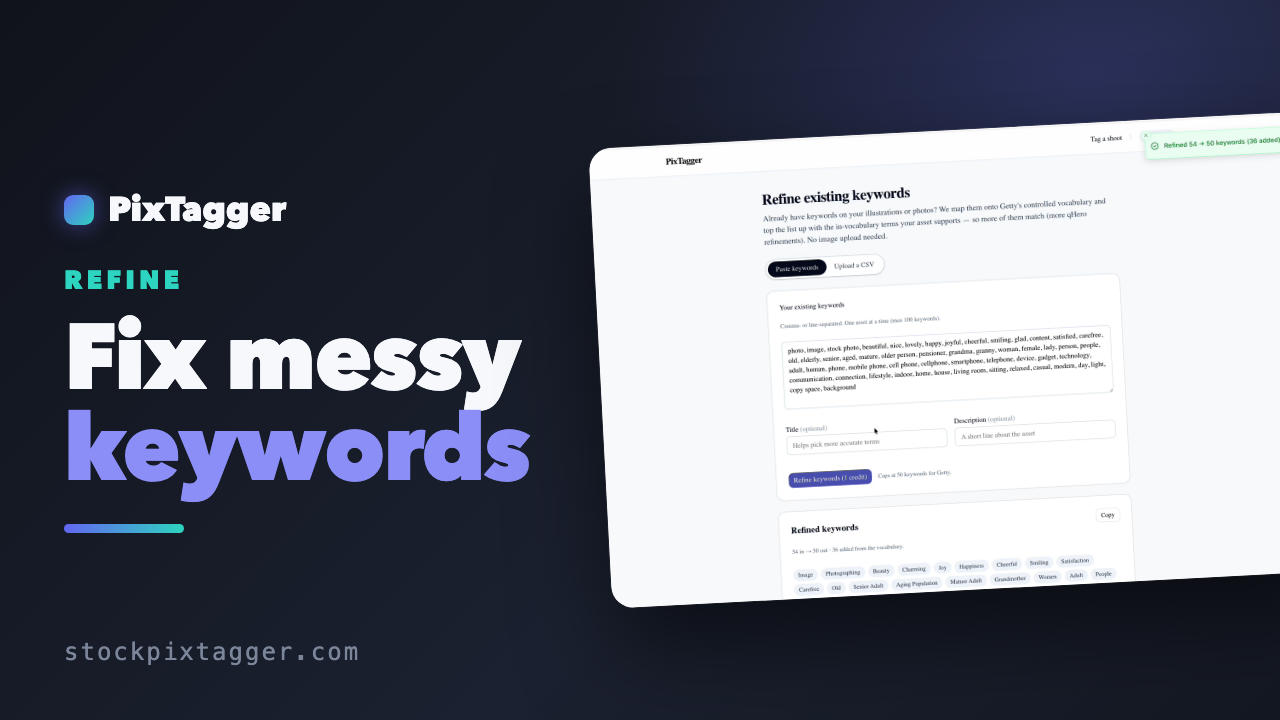
Representative example. Your files run through the same workflow.
Why you can trust the output
The AI is step one. Then come the checks.
A raw vision model is confident even when it's wrong. That's why every file's output runs a gauntlet of 90+ automatic checks — each one written after seeing a real mistake on a real stock file, by a contributor who has been shipping to Getty since 2007.

Real output · gourmet ravioli close-up
“Gourmet ravioli dish garnished with edible flower and herbs” — what the checks did:
Caught: an invented origin
The dish looks Italian — but nothing in the shoot says so. PixTagger never guesses a cuisine, a place, or an ethnicity. If it isn't visible or declared, it doesn't ship.
Dropped: subjective filler buyers never search
Translated into Getty controlled vocabulary
Shipped
This is a real, unedited run — the same photo, raw AI draft vs. what PixTagger actually ships.
This pipeline is never finished.
We tag our own shoots with PixTagger, audit the output, and every mistake we catch becomes a new permanent check — shipped to everyone. Your files are never used for this: the checks come from our own work, and the improvements are public on What's New.
Varied context
Your shots shouldn't compete with each other.
Tag ten near-identical frames the usual way and they all chase the same search, ranking against each other while nine of them sleep. Tick Varied context and each file leads with its own emphasis — same truth, different entry points, so the set covers more searches.

Two male friends jogging together by the water in Central Park
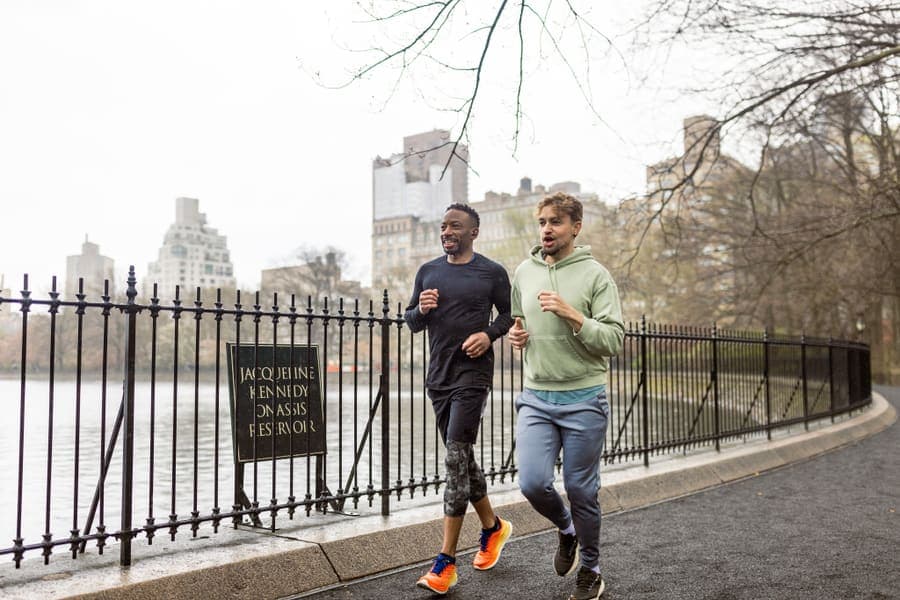
Two male friends jogging along Central Park reservoir on a rainy day
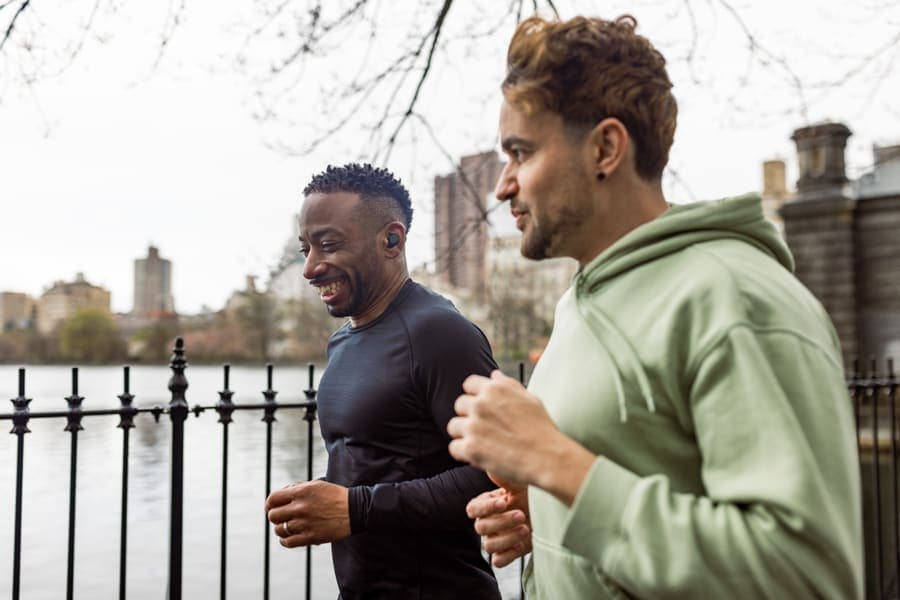
Two male friends jogging by the water in Central Park on a cloudy day
Honest by design:
- · Variation lives in the title, description and keyword order — never in accuracy. No file gets a keyword for something that isn't in its frame.
- · Every varied file runs the same 90+ checks as a normal one.
- · It's a checkbox, off by default. You declare the set — we never guess.
Video tagging
One frame can't tell a story. Three can.
PixTagger reads three frames from every clip — start, middle, end — and merges what they show. Watch this real clip: no single frame contains the whole scene.



Merged result — real output for this clip
“Three women chatting on an escalator in a modern shopping mall”
On this very clip, the identity guard removed “Multiracial Group” — the shoot notes never declared anyone's ethnicity, so the pipeline refused to.
Clips with complex action get 5 frames.
Three sample points describe one continuous action completely. But some clips do several things — a long take that moves through a scene, an activity that becomes another one, a reveal at the end, subjects entering in turn. For those, tick This batch has complex action and we sample five points instead, so the merged keywords describe the whole sequence rather than the parts three frames happened to land on. 1 extra credit per clip — and on a simple single-action clip it genuinely adds nothing, so we tell you to leave it off.
Drop your ProRes 4K masters as-is — frames are read locally in your browser, so the full clip never uploads. Camera movement (Zoom In, Panning, Tracking Shot) is measured across the whole clip, not guessed from the frames, so a locked-off shot stays correctly silent.
Refine · for Getty & iStock catalogs
Your back catalog isn't stuck.
Thousands of already-published files with loose, pre-vocabulary keywords? Paste a file's list into Refine and get it back in Getty controlled vocabulary — fragments fused, free text translated to official terms, and the list topped up toward 48. No re-tagging from scratch.

Already-published lifestyle photo · legacy keywords
Before — a typical legacy list, the kind we all typed for years
After — Getty controlled vocabulary
28 → 50
keywords in → out
social + media
fused into Social Media
32
controlled-vocabulary terms added
1 credit per file. Works from a pasted list or a bulk CSV, one asset at a time.
How it works
From shoot to CSV in under a minute.
No resizing, no exporting smaller copies, no prep. Drop your originals — photos up to 150 MB and videos of any size — and PixTagger does the heavy lifting in your browser.
Add Shoot Notes (optional)
Before you drop anything, type the context once — location, model, brief, lighting — and every file in the batch picks it up for sharper, more relevant keywords. Skip it and tagging still works.
Drop your files
Pick Photos or Videos, then drag in a whole batch — even a full folder. Tagging starts the moment they land — no extra button: vision AI runs per file (3 frames per video) and filters Getty's controlled vocabulary. Originals are resized in your browser first, and videos are read as 3 frames locally so the full file never uploads.
Review
Every file lands in a results table with its title, description and keyword list. Click any keyword to remove it, or type to add your own.
Download
Export ready-to-import CSVs for Getty/iStock, Adobe Stock, Shutterstock, Pond5 and Dreamstime — plus XMP sidecars (Alamy, Depositphotos, 123RF) and Meta hashtags. No reformatting.
Most tools cap your upload size, so you have to shrink files first. PixTagger doesn't — your full-resolution video never leaves your computer; we read it locally and upload only what the AI needs.
Why PixTagger
Built for stock contributors. Not for everyone.
We don't make a generic image-to-text tool. We make the keyword workflow that Getty, Adobe Stock, and iStock contributors actually need.
Exports
One upload. Nine destinations.
Tag once, export in every format your submission workflow needs — each file built to that marketplace's own columns and keyword limits, so the import works on the first try.
Getty Images / iStock
ESP · DeepMeta · qHero CSV
Adobe Stock
CSV, keyword order preserved
Shutterstock
CSV with official categories
Pond5
CSV
Dreamstime
CSV
Alamy
XMP sidecar (RAW workflow)
Depositphotos
XMP sidecar (RAW workflow)
123RF
XMP sidecar (RAW workflow)
Meta / Instagram
Ready-to-paste hashtags
Voices
Built by a working stock contributor. For every agency you sell on.
Every new account starts with 15 free credits — no credit card required. Tag a real batch and see the difference on your own files.
Already using PixTagger? Leave a review.
Not a faceless AI tool
Built by a working stock contributor
PixTagger is built by NoSystem Images, an exclusive Getty Images and iStock contributor since 2007, with a live portfolio of over 57,000 photos and 9,700 videos. Every keywording rule in the app comes from nearly two decades of actually selling on Getty, iStock and Adobe Stock — not from guesswork.
Pricing
Honest pricing. No tricks.
Buy a credit pack and use it whenever you like. 1 credit per photo, 2 per video (2 and 3 with Varied context) — and credits never expire.
FAQ
Questions, answered.
Who built PixTagger?+
PixTagger is built by NoSystem Images, an exclusive Getty Images and iStock contributor since 2007, with 57,000+ accepted photos and 9,700+ video clips. We don't guess what stock contributors need — we live it.
How does the PixTagger workflow work, step by step?+
Four steps: (1) Sign in and pick Photos or Videos mode in the dashboard. (2) Optionally type Shoot Notes (location, model, brief) — do this before you drop, so the context applies to the whole batch. (3) Drag a batch of files (or a whole folder) into the upload zone — tagging starts automatically the moment they land, so there's no separate "generate" button: we run vision AI per file (3 frames per video), filter Getty's controlled vocabulary, and build the title, description and keyword list. (4) Review the results in the table, edit any keyword inline if you want, then download the CSV or copy hashtags for Meta. For a mixed shoot, run two batches (one per mode). From drop to CSV: usually under 60 seconds.
What file formats and sizes can I upload?+
Photos: JPG, JPEG, PNG, WEBP — up to 150 MB per file. Videos: MP4, MOV, M4V — these are the formats Getty and Adobe Stock accept (longer clips are sampled at start, middle, end). Each batch is one media type — pick Photos or Videos mode in the dashboard before dropping files.
My video clips are ProRes — should I convert them?+
No — tag them as-is. ProRes (including 422 HQ) works directly and is a great master format for Getty/iStock; large clips just take a little longer to process in the browser. Important: tag the exact file you'll submit. The file name, including its extension, in the exported CSV has to match the file you upload — Getty's DeepMeta and qHero match rows to files by full file name, so a converted "clip.mp4" would not attach to the "clip.mov" you deliver. Tagging your actual .mov keeps the names lined up automatically. One caveat if you want camera-movement keywords: measuring movement needs the browser to decode the clip, and Chrome and Firefox skip ProRes, HEVC and cinema-grade H.264 — tag those in Safari, or leave the box unticked and name the move in your shoot notes instead. Standard MP4 / H.264 is measured in any browser.
I have more than 30 videos — can I still get one CSV?+
Yes. Each drop is capped at 100 photos or 30 videos — videos are lower because we decode three frames from every clip right in your browser before anything is sent, which is heavier on the tab than a photo resize. But that cap is per drop, not per export: keep dropping more batches and they stack in the same review screen and download as a single combined CSV. So if you have 200 clips going to Getty in one upload, drop them in batches and export one CSV at the end. A photo is 1 credit and a video clip is 2 (each clip runs a heavier multi-frame analysis) — 2 and 3 respectively when you tick Varied context — and re-dropping a file that's already in the export is skipped so you're never charged twice.
My shoot has lots of near-identical frames — won't they compete with each other?+
They would, and that's what Varied context is for. Tick "These are similar shots from the same set" before you drop a single shoot, and each file is told which angles its siblings already took so it leads with a different one — five frames of the same meeting can rank for five searches instead of splitting one. It never invents anything to look different: a frame that shows something else (a detail, an empty room, no people) is described on its own terms, keywords vary only in order and emphasis, and on video the camera-movement terms are left alone because those are facts. It costs 2 credits per photo and 3 per clip, takes a little longer, and only makes sense on a single shoot — on a mixed batch, leave it off.
I already have keywords — can you improve them without re-uploading the files?+
That is what the Refine tool is for. Paste a keyword list, or upload a bulk CSV, and we map every term onto Getty's controlled vocabulary and top the list up with in-vocabulary terms your asset supports — so more of your keywords land as valid matches and more of them survive qHero refinement. No image is uploaded and none is needed: it works purely on the words. 1 credit per asset. It is the fastest way to bring an existing back catalogue up to standard without re-tagging it from scratch.
Do you handle illustrations and vector art?+
Yes, and they are treated differently from photographs on purpose. Tick "Illustrations / vector art" before you drop the batch, and two things change. We tag the concepts your artwork represents — Innovation, Teamwork, Growth — because that is what illustration buyers search for, rather than only the literal shapes on the canvas. And we switch on a separate vector vocabulary of terms the illustration trade actually uses (flat, isolated, pictogram, outline, stroke, icon set, UI), which Getty's photography-derived list simply never contained; measured against 7,577 live Getty illustrations it recognises about 21 more keywords on a typical file. Vector batches also export with .eps file names so they import into qHero without errors.
Can I write my shoot notes in my own language?+
Yes — type them in whatever language you think in. Spanish, Russian, Chinese, German, Serbian and 40+ more all work, and you still get clean English titles, descriptions and keywords built for every marketplace. There is no need to translate your own notes into English first.
Can you tag the location from my photo's GPS?+
Yes, and it is free — tick "Use location (GPS)" and we read the coordinates your camera or phone saved in each file and tag the country, region and nearby place. It is worth having on any travel or landscape shoot, where the location is half of what a buyer searches for. Two things worth knowing: the coordinates are read on your own device before upload and are used for nothing except naming the place, and files without GPS are simply tagged as usual rather than guessed at.
Where does the created date in the Getty CSV come from?+
From the photo's own EXIF capture time — the moment the shutter fired — read in your browser before the upload strips metadata. We deliberately do not fall back to the file's timestamp, because that is when the file was last written: any photo you have edited, exported or re-saved would carry a date months after the shoot, and agencies check the created date against the date on your model release and reject the file when the two disagree. If a photo has no EXIF date, we leave the column blank rather than write a wrong one. Video keeps the file timestamp, since clips do not carry the same tag.
Do I choose Getty or Adobe before tagging, or after?+
Before — there is a "Tagging for" choice at the top of the dashboard, and it changes the output rather than just the file you download. Getty and Adobe want different things: Getty accepts only its own controlled vocabulary and up to 50 keywords, Adobe takes up to 49 free-text keywords and weights the first ten most heavily. Picking up front means the keyword list is built for that marketplace instead of being trimmed to fit it afterwards. The formats you can download then follow that choice: a Getty batch exports Getty's ESP / DeepMeta and qHero CSVs, an Adobe batch exports Adobe Stock, Shutterstock, Pond5 and Dreamstime. XMP sidecars and hashtags come with either. If you sell on both, add the second marketplace after the first pass — it re-reads every file for that marketplace and costs the same as tagging them again.
Are you tagging AI-generated images?+
Tick "AI-generated" and we read the generation prompt saved inside the file and use it as context, and prime the tagger for surreal or hybrid subjects — an animal in a human role, an impossible landscape — which otherwise get described too literally. It applies to Adobe Stock, Shutterstock, Dreamstime and Pond5. Getty and iStock do not accept AI-generated content at all, so that combination is not something we can help with.
What happens if a file fails — am I charged for it?+
No. If a file cannot be processed, the credit is returned to your balance automatically and the row is marked with what went wrong, so a corrupt file or a dropped connection never quietly costs you anything. Dropping a file that is already in the current export is skipped rather than charged twice, so you can re-drop a folder without watching your balance.
Can I review and edit keywords before exporting?+
Yes. Every file shows up in a results table with its generated title, description and keyword list. Click any keyword to remove it; type to add your own. Changes apply only to the export you download — your account history keeps the original AI output too, so you can compare or re-run.
What's actually inside the Adobe and Getty CSV files?+
Adobe CSV columns: Filename, Title, Keywords (max 49), Category, Releases. Getty CSV columns: file name, created date, title, description, country, brief code, keywords (max 50, all from Getty's official controlled vocabulary). Both formats are import-ready — drop them straight into Adobe Stock Contributor or Getty ESP without reformatting.
Which agencies and marketplaces does PixTagger support?+
Direct CSV exports for Getty Images / iStock (ESP, DeepMeta and qHero formats), Adobe Stock, Shutterstock (with categories mapped to their official list), Pond5 and Dreamstime — each built to that marketplace's own column layout and keyword limits so the import works on the first try. For agencies that read metadata embedded in the file itself — Alamy, Depositphotos, 123RF — download XMP sidecars and let Lightroom or Bridge write the metadata into your exported files. Meta hashtags cover Instagram, Facebook and X.
What are XMP sidecars and when should I use them?+
An XMP sidecar is a small .xmp text file with the same name as your photo that carries its title, description and keywords in the industry-standard format Lightroom Classic, Bridge and Photo Mechanic read. Put the sidecar next to your original, read the metadata into your catalog, and every JPEG you export carries it embedded — which agencies like Alamy, Depositphotos and 123RF then pick up automatically on upload. It's the archive-first workflow: your catalog stays the single source of truth, and your originals never leave your computer — we generate sidecars purely from the metadata, without ever seeing your full-resolution files.
What makes PixTagger different from a generic AI image tagger?+
PixTagger isn't a single "describe this image" call. We run a layered pipeline tuned specifically for stock marketplaces: a vision pass writes a buyer-focused title, a two-sentence commercial description, and a keyword list ordered strongest-first (the leading keywords carry the most search weight on Adobe Stock and Getty). For video, camera movement is not guessed from the frames at all: tick "Detect camera movement" and we measure how the picture actually moved across the whole clip, in your browser, before anything uploads — so a slow gimbal drift is caught and a locked-off tripod shot stays correctly silent instead of collecting a move it never had. A second pass then maps your keywords onto Getty's official controlled vocabulary and checks each term against what's actually in the frame, so your Getty CSV passes validation without invented tags. We build on proven OpenAI vision models, but the value is in this stock-specific workflow — not the raw model.
How does multi-frame video tagging work?+
For every video file, PixTagger extracts three representative frames (start, middle, end), runs vision AI on each, and merges the keywords. This catches scene changes and story arcs that single-frame tools miss. Camera movement is a separate, optional step — it is measured rather than read off the frames, which is why it is its own tick box. A clip costs 2 credits regardless of length. Three sample points describe one continuous action completely — but some clips have genuinely complex action: a long take that moves through a scene, an activity that turns into another, a reveal at the end, subjects entering in turn. For those batches, tick "This batch has complex action" before dropping and we sample five points per clip instead of three, for 1 extra credit per clip. More frames means more visual evidence, so the merged keywords describe the whole sequence rather than the parts three frames happened to land on. On a short clip with one continuous action it adds nothing — leave it off.
Can I tag a mixed photo + video shoot?+
Yes — but in two separate batches. Pick Photos mode in the dashboard, drop your photos, generate the Photos CSV. Then switch to Videos mode and do the same for the videos. This matches how Getty and Adobe Stock actually accept submissions (separate uploads for photos and videos), so you'll be uploading them separately on the receiving end too. Your Shoot Notes can stay the same across both batches.
Are the Getty keywords compliant with their controlled vocabulary?+
Yes. Our Getty CSV export uses Getty's official whitelist of approved keywords, so your submissions don't get rejected for invalid terms.
Does PixTagger upload my files anywhere permanently?+
No. Files are processed and deleted within minutes. We never sell, share, or train on your images. Your work stays yours.
Is there a free trial?+
Every new account starts with 15 free credits and no card — enough to tag 15 photos or 7 clips and judge the output on your own work rather than ours. There is no subscription to cancel afterwards: PixTagger sells one-time credit packs, so if you never buy one, nothing happens.
Can I earn credits by inviting other contributors?+
Yes. Your account page has a personal invite link. When somebody signs up through it and tags their first 10 files, we add 50 credits to your balance and 25 to theirs, on top of the free credits every account starts with. If they later buy a credit pack, you get another 20% of it in credits. Nothing is paid the moment somebody registers — the credits arrive once they are genuinely using the tool, which is exactly why they are worth having.
Do my credits expire?+
No. PixTagger sells one-time credit packs, not subscriptions — there's nothing to cancel and no monthly billing. A photo costs 1 credit and a video 2 (2 and 3 with Varied context; a clip read at 5 frames instead of 3 adds 1 more), and credits stay on your account until you use them.
Stop wasting nights on keywords.
Try PixTagger free. No credit card. 15 images on the house.
Get started free